All available endpoints are secured using OAuth 2.0 and protected by scopes. This section has been prepared to give the developer a quick guide to start consuming the Youforce APIs by explaining how to get a token.
This guide is written under the assumption that the developer has a proper application created and available in Visma Connect, which should be linked to the specific API to be consumed, and that the following information is known:
- Client id
- Client secret
- Tenant id (if needed)
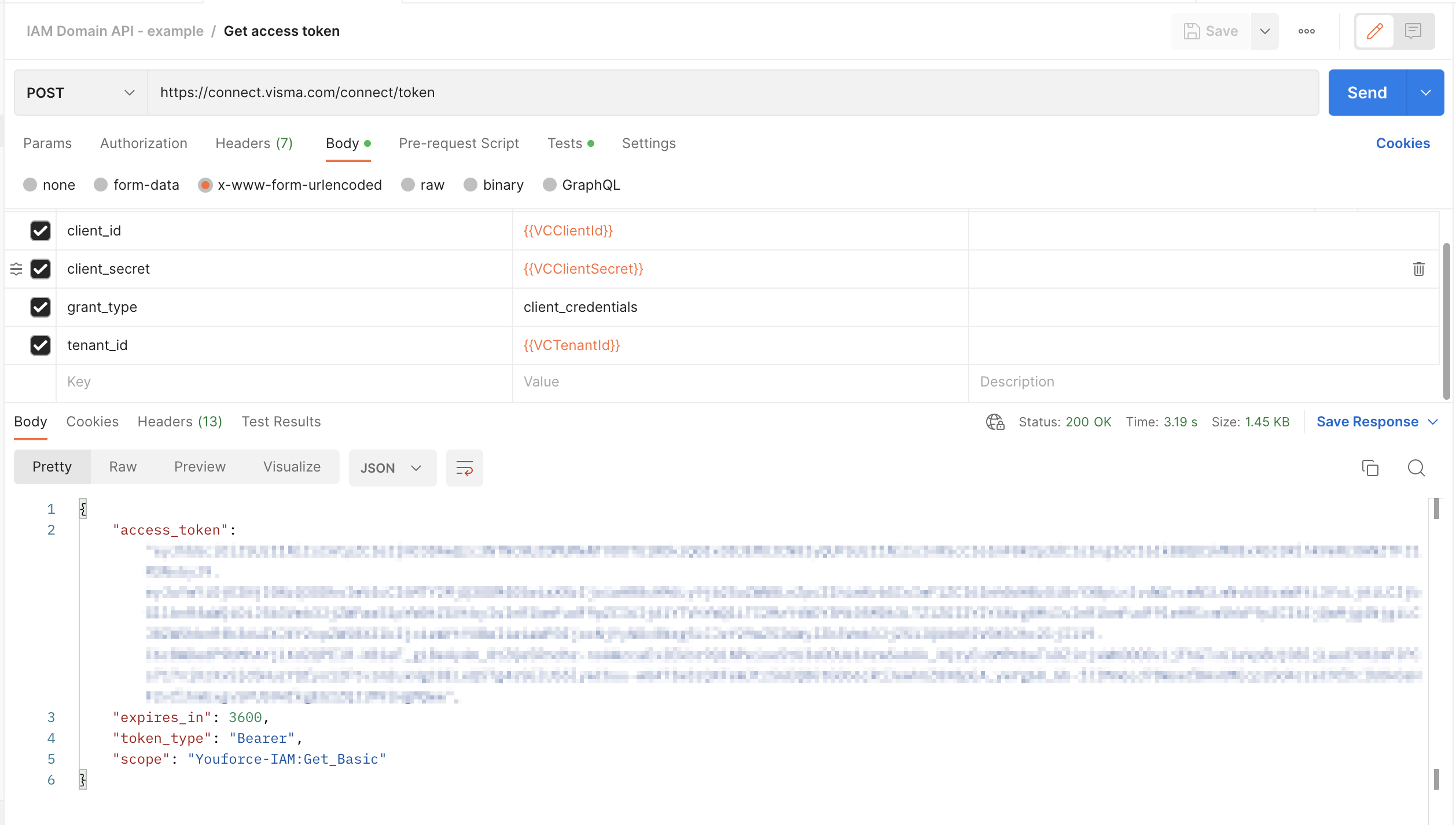
In order to make the necessary calls to retrieve the expected information from the HR Core system, a token needs to be requested. To get a token, the consumer has to request a token through Visma Connect using valid credentials.
Curl example:
curl --location 'https://connect.visma.com/connect/token' \
--header 'Content-Type: application/x-www-form-urlencoded' \
--data-urlencode 'client_id=xxx-id' \
--data-urlencode 'client_secret=xxx-secret' \
--data-urlencode 'grant_type=client_credentials'
The token is associated with several scopes which provides access to the possible actions within the API (see each API chapter for more information):
 {
    "access_token": "abc",
    "expires_in": 3600,
    "token_type": "Bearer",
    "scope": "Youforce-IAM:Get_Basic"
}
Postman example:
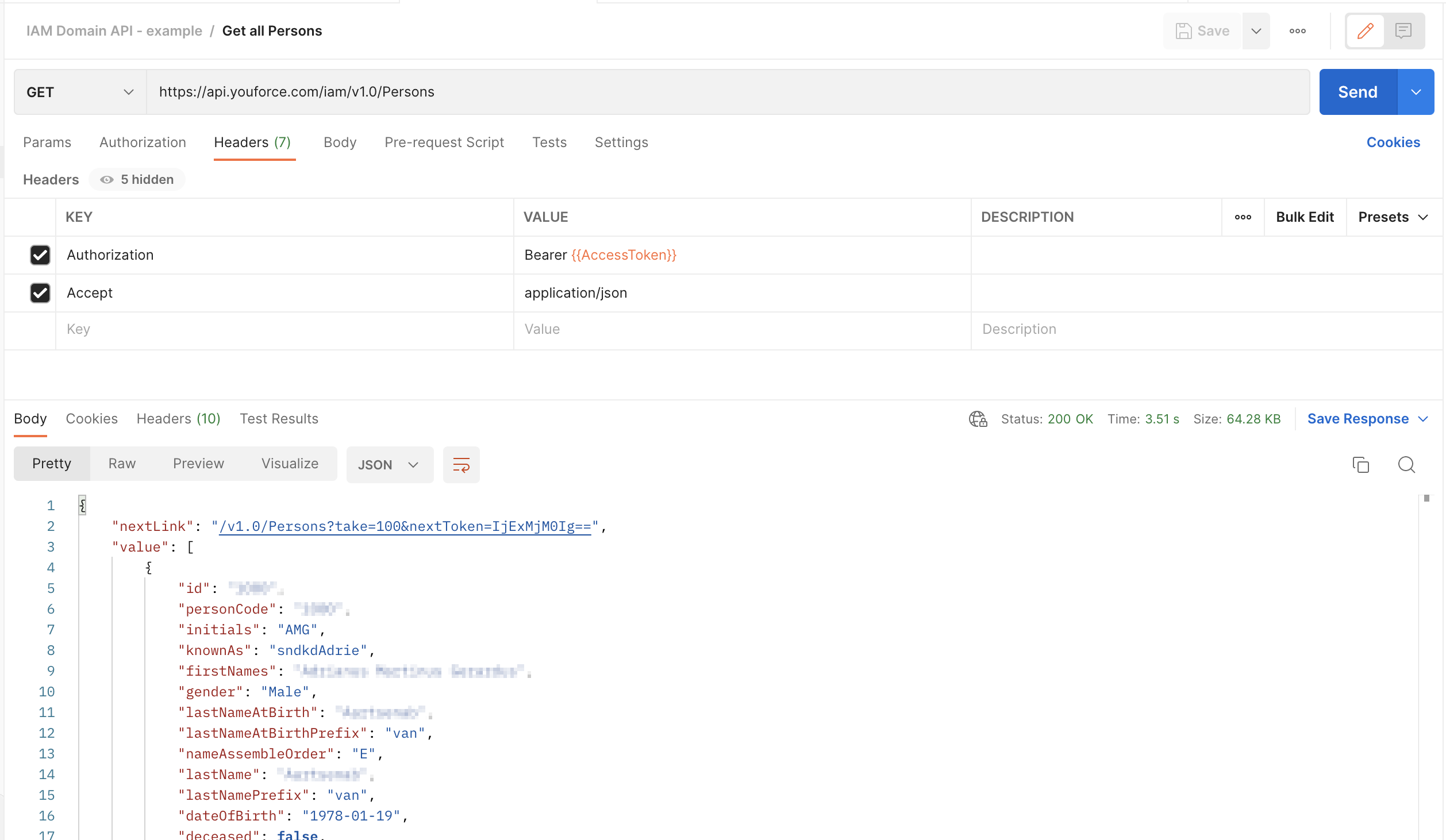
Now we are in a position to directly call the needed endpoint. This example is using the Persons endpoint for IAM domain API, but any other endpoint can be used in a similar way.